 中文(繁體)
 中文(简体)
 English

Understanding the Hong Kong Junior Secondary Computer Applications Course and Information and Communication Technology, ICT: A Comprehensive Guide
TUTORZONE SUBJECT GUIDE · HK Junior Secondary Computer
HK Junior Secondary Computer: Computer Applications and Information and Communication Technology (ICT) gives junior secondary students the hands-on digital skills they need for school, exams and future careers. Here is a complete guide to the curriculum by form, the skills it builds, and how supplementary tutoring can help students excel.
Direct Answer:What does Hong Kong’s Junior Secondary Computer Applications and ICT curriculum cover?
It gives students hands-on digital skills for school, exams, and careers, with a by-form guide to the curriculum and skills.
Share this paper / article:
WhatsApp
Facebook
Telegram
Email
WeChat / Xiaohongshu: tap “Copy link” and paste.
HK Junior Secondary Computer: What Is the Hong Kong Junior Secondary Computer Applications Curriculum?
The Hong Kong Junior Secondary Computer Applications Course and Information and Communication Technology (ICT) is an essential part of the curriculum, aiming to equip students with vital computer literacy skills. In an increasingly digital world, these skills are not only necessary for academic success but also for future career development. This subject focuses on practical computer skills, enabling students to become proficient in using digital tools to perform various tasks, ranging from data management to multimedia creation.
For students seeking additional support or aiming to enhance their computer knowledge, supplementary tutoring for the Computer Applications course has become a popular option. In this guide, we break down the core aspects of the curriculum, discuss the importance of supplementary tutoring, and provide useful insights into how students can excel in the subject.
The course is designed to provide students with foundational knowledge of how to use computers and related technologies. This subject is not just about understanding how to use different software but also learning how technology impacts the world and how students can leverage digital tools to solve problems and create new content.
The curriculum aims to ensure that students are proficient in using various software applications for tasks like word processing, spreadsheets, presentations, and basic multimedia production. The subject also introduces concepts related to internet safety, digital ethics, and the importance of cybersecurity.
Practical Skill Development
Students learn hands-on skills, using software tools like Microsoft Office (Word, Excel, PowerPoint), and are introduced to basic programming concepts.
Digital Literacy
Emphasis is placed on ensuring that students understand the importance of digital tools and how to navigate the internet safely.
Problem-Solving and Creativity
Students are encouraged to use technology creatively to solve real-world problems, whether through creating digital presentations, managing data, or designing websites.
Integration with Other Subjects
Computer Applications is closely linked with other subjects, enabling students to apply their knowledge across various disciplines, such as creating presentations for projects or managing data for science experiments.
Cybersecurity Awareness
Students learn about the ethical use of the internet, privacy issues, and how to avoid common online threats, such as cyberbullying, scams, and identity theft.
A Breakdown of the Curriculum by Form
The curriculum builds steadily across the three junior secondary years, moving from foundational computer skills to integrated, multi-application projects.
Form 1 (Grade 7) — Introduction to Basic Computer Skills
In the first year, students are introduced to fundamental computer skills. This forms the foundation for more complex applications in later years.
- Basic Computer Functions — Students learn about the components of a computer (hardware and software), the operating system, and basic tasks like file management and internet browsing.
- Word Processing — Introduction to software like Microsoft Word, focusing on formatting documents, inserting images, and using basic editing tools.
- Spreadsheets — Basic concepts of data entry and manipulation using Microsoft Excel, including simple calculations and formatting.
- Internet Use and Online Safety — Students learn how to navigate the web safely, focusing on how to use search engines, evaluate online sources, and stay safe while online.
Form 2 (Grade 8) — Intermediate Computer Applications
In the second year, students dive deeper into more sophisticated applications of computer tools and techniques.
- Advanced Word Processing — Students learn to create more complex documents, such as reports and newsletters, with advanced features like tables, headers, and footers.
- Spreadsheets and Data Management — The focus shifts to more advanced Excel functions like data analysis, creating graphs, and using formulas.
- Presentations — Students are introduced to Microsoft PowerPoint and taught how to create visually engaging presentations with slides, animations, and multimedia elements.
- Introduction to Digital Design — Basic skills in designing digital content, including simple graphics and multimedia projects, are introduced.
Form 3 (Grade 9) — Advanced Computer Applications
In the final year of Junior Secondary, students gain proficiency in integrating multiple applications to complete complex tasks.
- Advanced Data Analysis — Students become proficient in using advanced Excel features, including complex formulas, pivot tables, and charts to analyze and present data.
- Multimedia Projects — Students are tasked with creating multimedia presentations and projects, combining text, images, audio, and video to deliver content effectively.
- Web Design Basics — Students learn the fundamentals of HTML and website design, gaining an understanding of how websites are created and how the internet functions.
- Programming Concepts — A basic introduction to programming may be included, where students are introduced to logical thinking, algorithms, and the basics of coding through simple platforms like Scratch or other beginner-friendly programming languages.
Supplementary Tutoring for Computer Applications
While the official curriculum provides a strong foundation in computer applications, some students may seek supplementary tutoring to further enhance their understanding of the subject. Here is why supplementary tutoring has become a common practice for many students:
Supplementary tutoring offers individualized attention, allowing students to progress at their own pace and address specific areas of difficulty.
Why Supplementary Tutoring for Computer Applications?
- Personalized Learning — Supplementary tutoring offers individualized attention, allowing students to progress at their own pace and address specific areas of difficulty.
- Clarifying Complex Concepts — While the curriculum covers a broad range of topics, some students may find certain concepts, such as advanced spreadsheet functions or programming, challenging. Tutors can provide additional explanations and examples.
- Enhanced Skills Development — Through extra practice and guided learning, students can further hone their skills in areas like presentation design, data management, and digital content creation, giving them a competitive edge.
- Exam Preparation — Supplementary tutoring can also provide students with additional resources and practice tests to prepare for their exams, ensuring that they have mastered the necessary skills.
- Confidence Boost — For students who struggle with computer applications, tutoring helps build confidence, as they gain mastery over the tools and applications they use in school.
What Can Students Expect from Supplementary Tutoring?
- In-Depth Practice — Tutors often provide additional exercises and tasks that challenge students to apply what they have learned, reinforcing key skills.
- Real-World Application — Many tutors focus on applying computer skills to real-world scenarios, helping students see the practical value of what they are learning.
- Exam-Focused Training — Tutors may focus on past papers and common exam questions, helping students understand what to expect and how to perform well in assessments.
- Specialized Focus Areas — Some tutors specialize in particular software programs, like Excel or PowerPoint, and can offer tailored lessons to master these tools in greater detail.
Key Skills Developed in the Course
The Hong Kong Junior Secondary Computer Applications Course and Information and Communication Technology (ICT) fosters a range of important skills that students will use throughout their education and beyond:
- Digital Literacy — Students develop the ability to confidently use various digital tools and software applications, a crucial skill in today’s tech-driven world.
- Problem-Solving — The course emphasizes the importance of using technology to solve problems, such as creating presentations to support an argument or analyzing data to draw conclusions.
- Creativity — With multimedia tools and digital design, students are encouraged to think creatively, whether making engaging presentations or creating digital content.
- Time Management and Organization — Using digital tools like spreadsheets and project management software helps students organize tasks efficiently, manage time, and meet deadlines.
- Communication — The course enhances students’ ability to communicate information clearly through digital platforms, such as presentations, written reports, and visual designs.
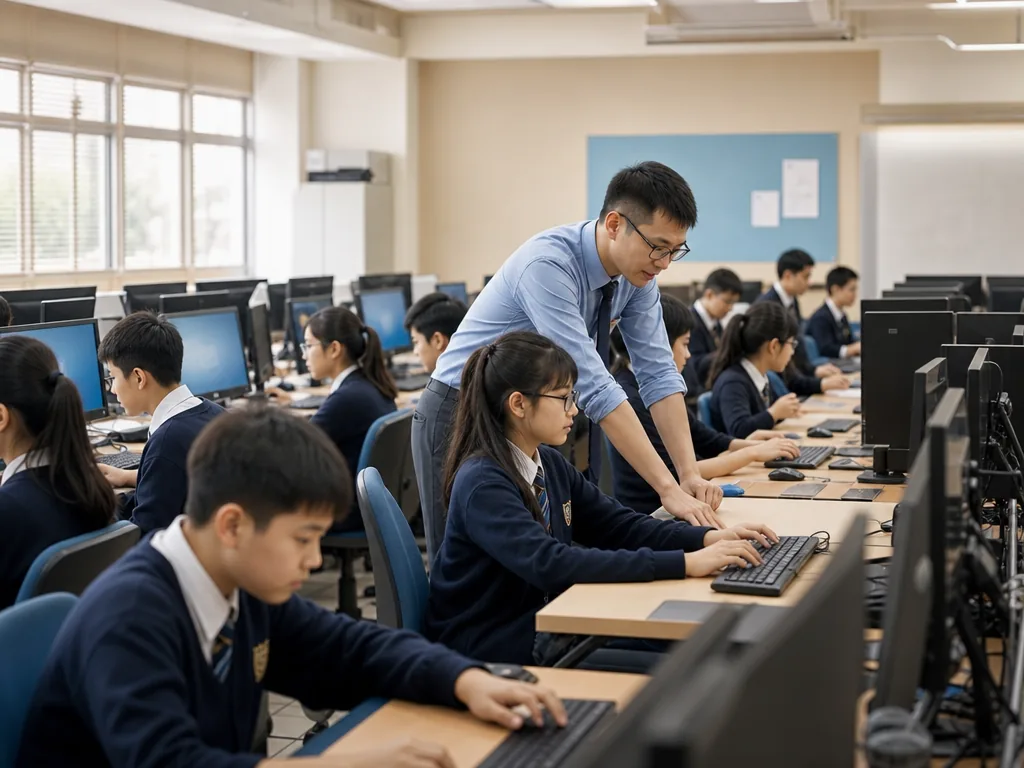
Challenges and Tips for Success
While the Computer Applications Course and Information and Communication Technology (ICT) is generally accessible, students may face some challenges, especially in mastering certain software or techniques. Here are some tips for overcoming these obstacles:
Common Challenges
- Complex Software Functions — Students may struggle with advanced features in Excel or PowerPoint, such as creating pivot tables or working with animations.
- Multitasking with Applications — Learning to use multiple software programs (Word, Excel, PowerPoint, etc.) simultaneously can be overwhelming.
- Internet Safety and Ethics — Some students may not be aware of the ethical implications of internet use or may struggle with online safety practices.
Tips for Success
- Practice Regularly — The key to mastering computer applications is consistent practice. The more you work with software tools, the more comfortable you will become.
- Use Online Resources — There are countless online tutorials, videos, and forums where students can learn tips and tricks for software applications.
- Stay Organized — Keep files and documents well-organized. Use clear naming conventions and folders to make it easier to locate files.
- Seek Help When Needed — If you are struggling with a particular concept, do not hesitate to ask a teacher or tutor for extra help.
Conclusion
The Hong Kong Junior Secondary Computer Applications Course and Information and Communication Technology (ICT) is an essential subject that provides students with the computer literacy skills needed for academic success and future career opportunities. With an increasing reliance on technology in every aspect of life, the ability to effectively use digital tools has become a necessity. Supplementary tutoring can offer valuable support for students who wish to deepen their understanding, improve their skills, and achieve greater success in this subject.
By combining classroom learning with extra practice, students can ensure they are well-equipped to handle the demands of the digital world and leverage technology to enhance their personal and academic lives.
Frequently Asked Questions (FAQ)
Q: Is the Computer Applications course difficult for students with no prior computer experience?
No — the course is designed to be accessible, starting with basic computer functions, word processing and safe internet use in Form 1 before building toward advanced applications in Forms 2 and 3.
Q: Which software applications will my child learn?
Students work with Microsoft Office (Word, Excel and PowerPoint), and are introduced to basic HTML and website design, as well as beginner-friendly programming platforms such as Scratch.
Q: Does my child need supplementary tutoring for this subject?
Not necessarily. Tutoring is most useful for students who want extra practice with advanced Excel functions, presentations or programming, or who would benefit from exam-focused training and a confidence boost.
Q: How does this course prepare students for senior secondary ICT?
It builds the foundational digital literacy, data-management and logical-thinking skills that act as a springboard for the senior secondary ICT curriculum, further study and future careers.
Further Resources & Next Steps
- Official Resources — Hong Kong Education Bureau: www.edb.gov.hk
- Further Reading — Microsoft Office tutorials and beginner-friendly coding platforms such as Scratch.
- Parent Tips — Encourage regular, hands-on practice at home and help your child keep files organised with clear naming, so they build confident and safe digital habits.
Note: The information above is for reference only. Please consult professional education institutions for details.
This article was initially drafted and organised with AI. Editor / Professor Chan Kwok-wai; Managing Editor / Kong Yee-leung
Act Now: Find a Tutor / Register as a Tutor
For parents & students: looking for a home or online tutor for this subject? Click the button below to post a free tuition case (subject, level and preferred time) — TutorZone will match you with suitable tutors:
For tutors: do you teach this subject? Click the button below to register for free and receive more suitable cases — you pay only when a match is made: